re[sign]ation
A script to create digital signatures
A script to create digital signatures
This tool is intended to provide a little convenience for creating digitally signed PDFs on Linux. For that it is based on a couple of existing tools including:
Most existing tools (at least the dozen I tried) were lacking in one or the other regard. Either the signatures visual appearance couldn't be configured, or they completely invalidated all existing signatures when drawing the visuals for a new one.
Additionally, most of them have been rather inconvenient to use.
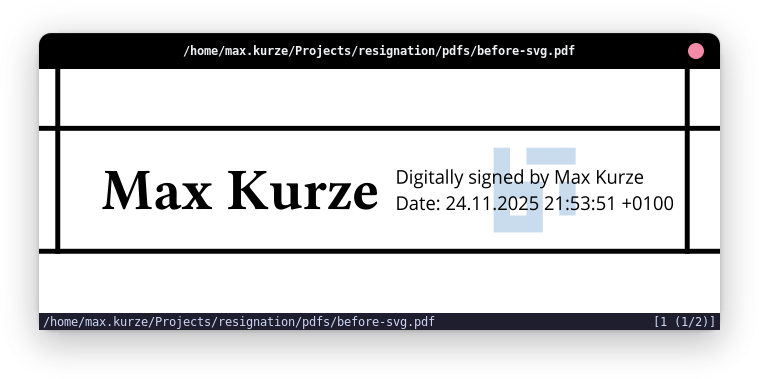
Define how signatures should look by using a flexible module system. You can create and host your own appearance templates, or download existing ones, to adapt the signing experience to your needs.
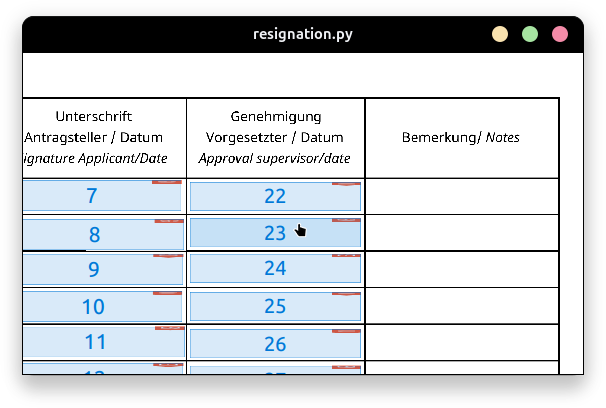
Choose from existing signature fields through a visual interface and decide which one should be filled.
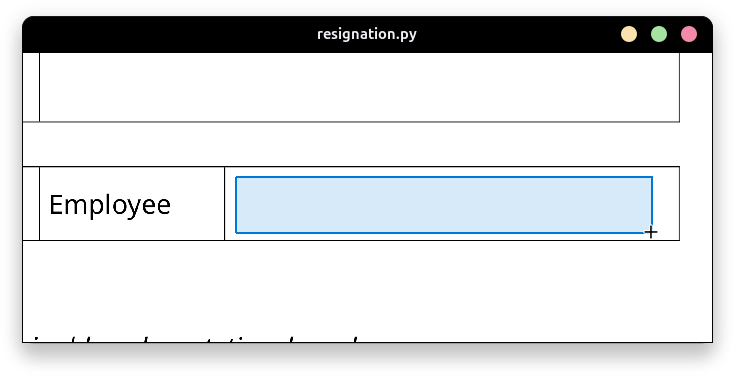
Create and position signature fields through an interactive view, specifying exactly where each signature should appear.
To use resignation you have multiple options.
For use with nix, resignation provides a flake that can be run directly through nix:
nix run github:maxkurze1/resignation -- \
  --input document.pdf \
  --output document-signed.pdf \
  --template "github:maxkurze1/resignation?dir=templates/logo"
For additional information about the available command line options please refer to CLI.
To install the script via pip execute the following command: (Use a venv if you don't want to install it globally)
pip install git+https://github.com/maxkurze1/resignationAfterward, you should be able to use the resignation command on its own:
resignation \
  --input document.pdf \
  --output document-signed.pdf \
  --template "github:maxkurze1/resignation?dir=templates/logo"